Delete your data, leave a home or delete it
Evenchores has no accounts, so there’s nothing to close. What’s left is your home’s data on our server (only if you shared it) and the copy on each phone.
Leave a home
Open Household, tap your name and Leave this home. Your phone stops sharing and keeps its own copy of the chores. The others keep the home, with your past chores in its history.
Delete the shared home for everyone
Open Household and tap Delete our shared home, then type “delete” to confirm.
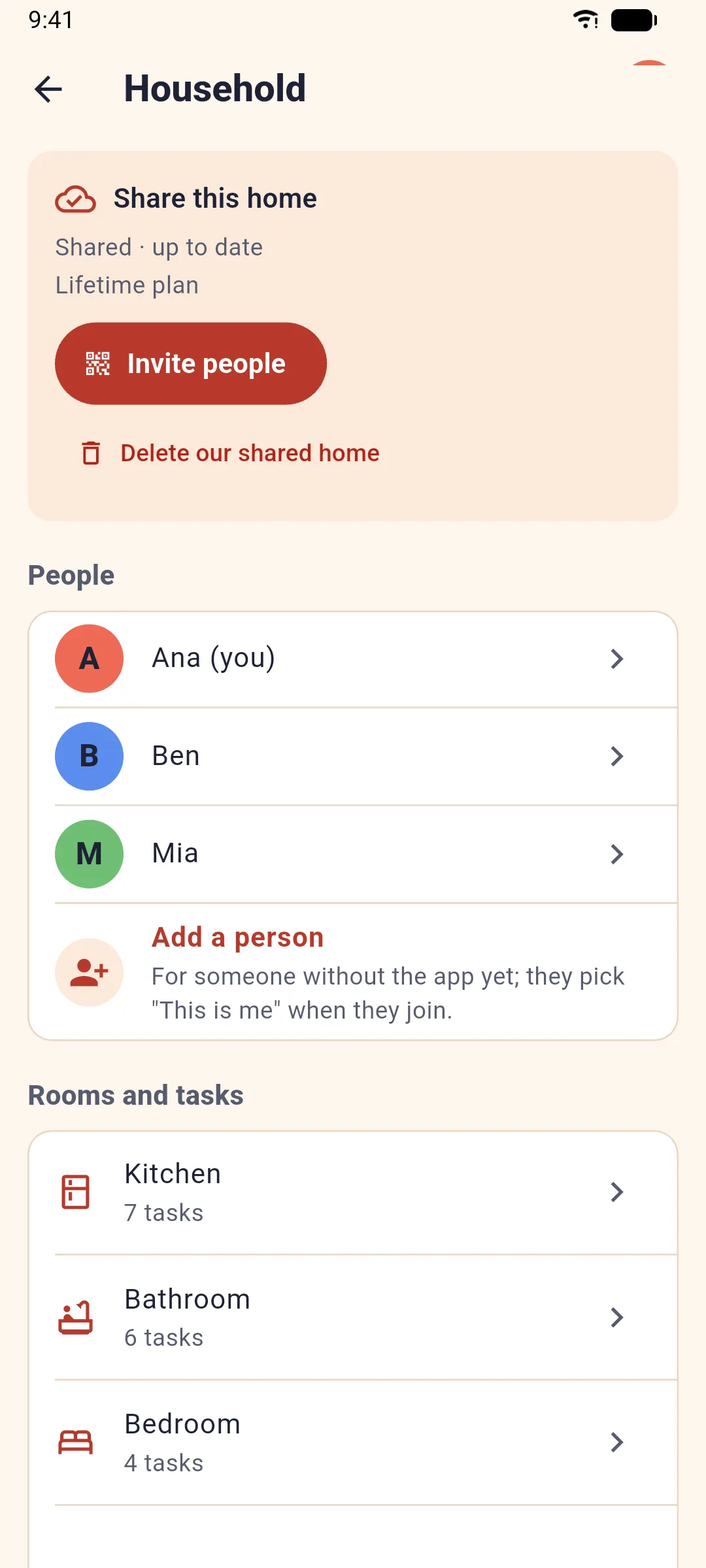
We delete the home from our server 30 days later. Until then the home keeps working, and anyone in it can tap Keep the home if it was a mistake. If you’re the only one left, it goes right away.
We delete the home’s chores, rooms, shopping list and history, everyone’s names, colors and icons, the links to its phones, and our records of the home. The full list is on our privacy page.
A plan doesn’t stop when a home is deleted: cancel it in Google Play (see Plans, restoring and canceling).
Clear a phone or a browser
- Phone: uninstall Evenchores, or clear its storage in the phone’s settings. Other phones in the home keep their own copy.
- Browser: clear the site data for evenchores.app in your browser’s settings.
No app any more?
Email support@evenchores.app with your home’s code if you have it. We’ll check it’s your home and delete it within 30 days.
Related: New phone or a reinstall.